


Welcome to Tech Updates: #2. You can read the updates below, or watch the video version on YouTube. Embedded here for your enjoyment!
Anyways, on to the updates. Links to relevant YouTube videos if you want to dive deeper. Enjoy!
Research and Learning:
Researching adding Open Webui in docker container to add a web ui for ollama local AI models
Running local mcp servers in docker containers https://github.com/theNetworkChuck/docker-mcp-tutorial (MCP stuff is where I see myself going deeper over the next weeks and months in AI, Automation, and Orchestration)
I Just had a 5-minute conversation with Claude about Docker architecture. I didn’t realize the architecture favors stacks, and you can use a yaml compose file in one directory to bring up multiple related containers (vs one liners, or bringing them up manually/individually). Fascinating. (I’m having to retrain my default thinking of 1:1 from years of virtualization and OS stuff) I asked questions, asked for examples, had it check my understanding, etc. I now understand so much better in 5 minutes than watching an hour-long video or going to a class. It’s really crazy how if you have the technical aptitude or reference info, you can learn and scale up quickly.
Future Research to do:
Set reminder to research “Migrating from Notion to Obsidian or using it as a backup.”
Set reminder to go back and learn pbcopy and pbpaste for linux.
commands to remember:
watch -n 0.5 nvidia-smi
Improvements:
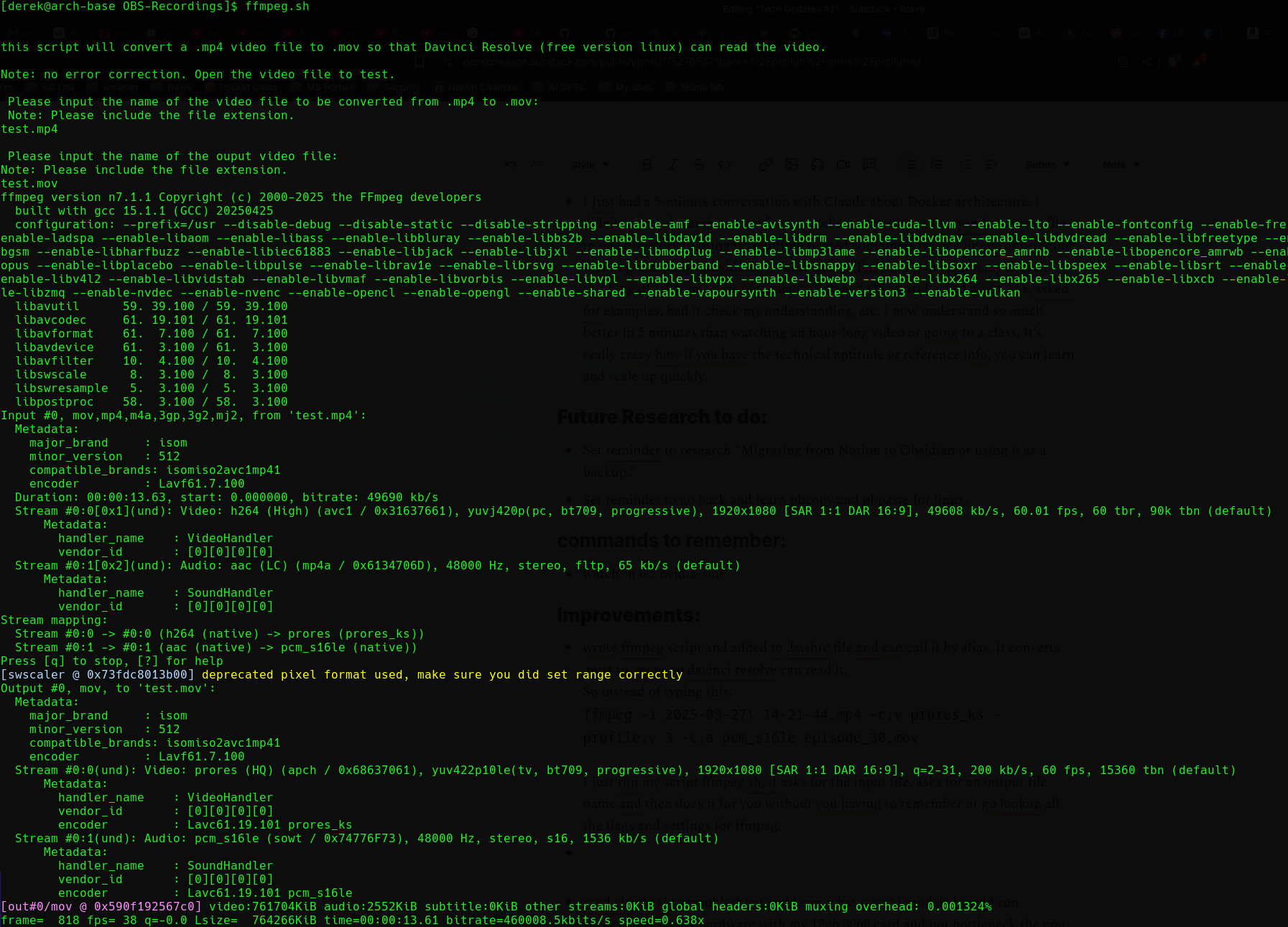
wrote ffmpeg script and added to .bashrc file and can call it by alias. It converts .mp4 to .move so davinci resolve can read it.
So instead of typing this:ffmpeg -i 2025-09-27\ 14-21-44.mp4 -c:v prores_ks -profile:v 3 -c:a pcm_s16le episode_30.mov
I just run my script ffmpeg.sh, it asks for the input file, asks for an output file name, and then does it for you without you having to remember or go look up all the flags and settings for ffmpeg. Huge time saver! And that’s what scripting is for!

Here’s what it looks like when it runs. Don’t be scared by all the ffmpeg encoding info it’s outputting to the screen.
Used Claude AI to troubleshoot and learn what size AI models I could run successfully on my hardware with my 12 GB 3060 card and not bottleneck the GPU-CPU.
Installed a Cloudflare tunnel in a Docker container - Claude helped
Installed an n8n instance in a Docker container - I used some of this video: -Claude helped

Wrote a docker compose file to bring them up together - Claude helped
Configured Cloudflare security in front of my DNS tunnel to my locally hosted n8n. - Claude helped
Got a N8N instance in Docker container to talk to local AI models via LLM and set up a test workflow to talk to Discord.
Successfully built N8N workflow to automate RSS feed pulls and redundancy checks every 2 hours from hackernews, bleeping computer, and KrebsOnSecurity to send curated Security news & updates to my Discord server. (more automation ideas in the pipeline)
Mistakes:
Trying to use larger AI models because I had enough RAM. Fine for basic texting, but once you pass it complexities, they go superslow when they overload the GPU.
trial and error in N8N nodes
AI recommendations don’t always work. Sometimes you have to tell it, “that didn’t work, what’s another method or angle we can approach this from?”
That’s it for this week’s Tech Update. -Derek
Check out my Social Media Links, my Book, my Podcast, and my Substack below: